
November 1, 2026
The House Screens Project
The screens in my house used to run the manufacturers' ambient loops. Now they run my own pages — a morning newspaper, the state of the house, a tank of moon jellies — served by one Raspberry Pi and kept going by a set of small automations.
Why I built this, and what it is
Every display in my house came with a default loop: stock photos, suggested content, the occasional ad. None of it was chosen by anyone who lives here. It was just what the device makers put on their hardware, running in my rooms because I had never given the screens a different job.
What I wanted instead was for the screens to show my household's own information — what's on today, what the house is doing, what needs me — plus ambient content I actually picked. So over the past few weeks, and mostly this weekend, I built a small system that does that: one Raspberry Pi and the three displays I already owned (a bedroom display, the living-room TV, a kitchen hub). The Pi serves a set of web pages I designed, casts them to the displays, and runs the whole thing day to day. I operate it with my household agent, Maude; the pages, the schedule, and the rules are mine.
This is a description of the parts, because the parts are the interesting bit.
The Pi cast controller
One Raspberry Pi 3 on the home network is the entire backend. It does three jobs: it serves the pages, it casts them to the three displays, and it runs the small services behind both.
Casting turned out to have a discipline to it. These displays stall if you throw a new page at them while something else is up, so every cast is stop first, wait a few seconds, then cast. That one rule, applied everywhere, is the difference between a system that mostly works and one that just works.
The Pi also runs the backend for the phone controller (next section but one) and a couple of local proxies the pages need. Flight data reaches the radar page through a proxy on the Pi, from the community ADS-B network adsb.lol. The ISS pass predictions on the sky page aren't fetched as finished answers from a predictions service — every night the Pi pulls the station's orbital elements from CelesTrak and runs the SGP4 math itself, so the page can say “there's a good pass tomorrow at 6:03 AM” because the prediction was computed in the house.
The ambient screens
There are twelve views. These are the ones that matter:
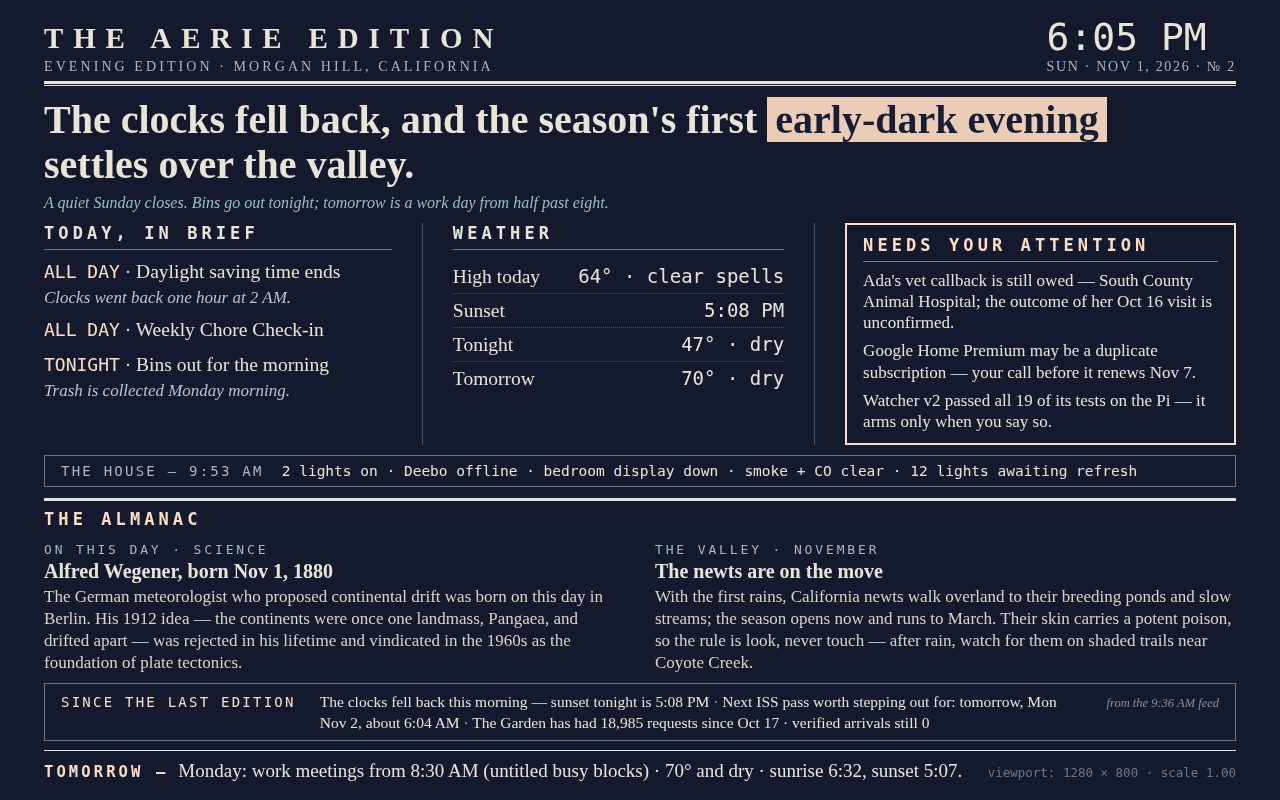
The Morning Paper. A broadsheet briefing, composed fresh twice a day — a Morning Edition and an Evening Edition. Its data comes from three places: my Google Calendar for the day's shape, the Open-Meteo forecast API for Morgan Hill weather, and one read of Home Assistant — the system that runs the house's devices — for the state of the house. I redesigned it this weekend: the house's device data used to appear twice on the page, which is the kind of thing you'd fire a newspaper for, so now it appears exactly once, the attention box is reserved for things that need me, and the freed space went to the Almanac — a rotating item, verified before it prints: an on-this-day fact from art or science, a native plant of the Santa Clara Valley in its actual season, a scrap of local history. Every Almanac item carries a named source — tonight's sample edition, for instance, drew its on-this-day item from Encyclopaedia Britannica's entry on Alfred Wegener, born November 1, 1880 — and an item that can't be verified doesn't print.
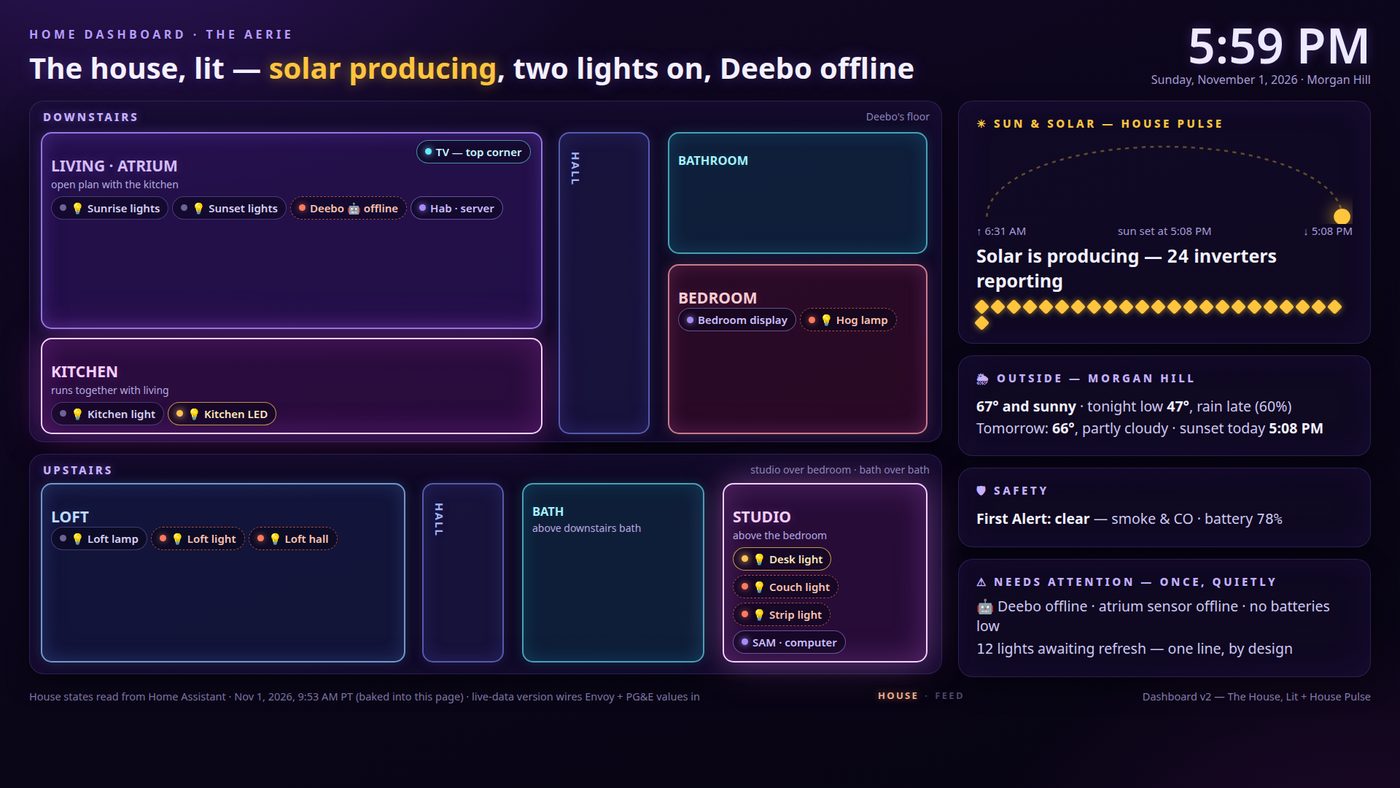
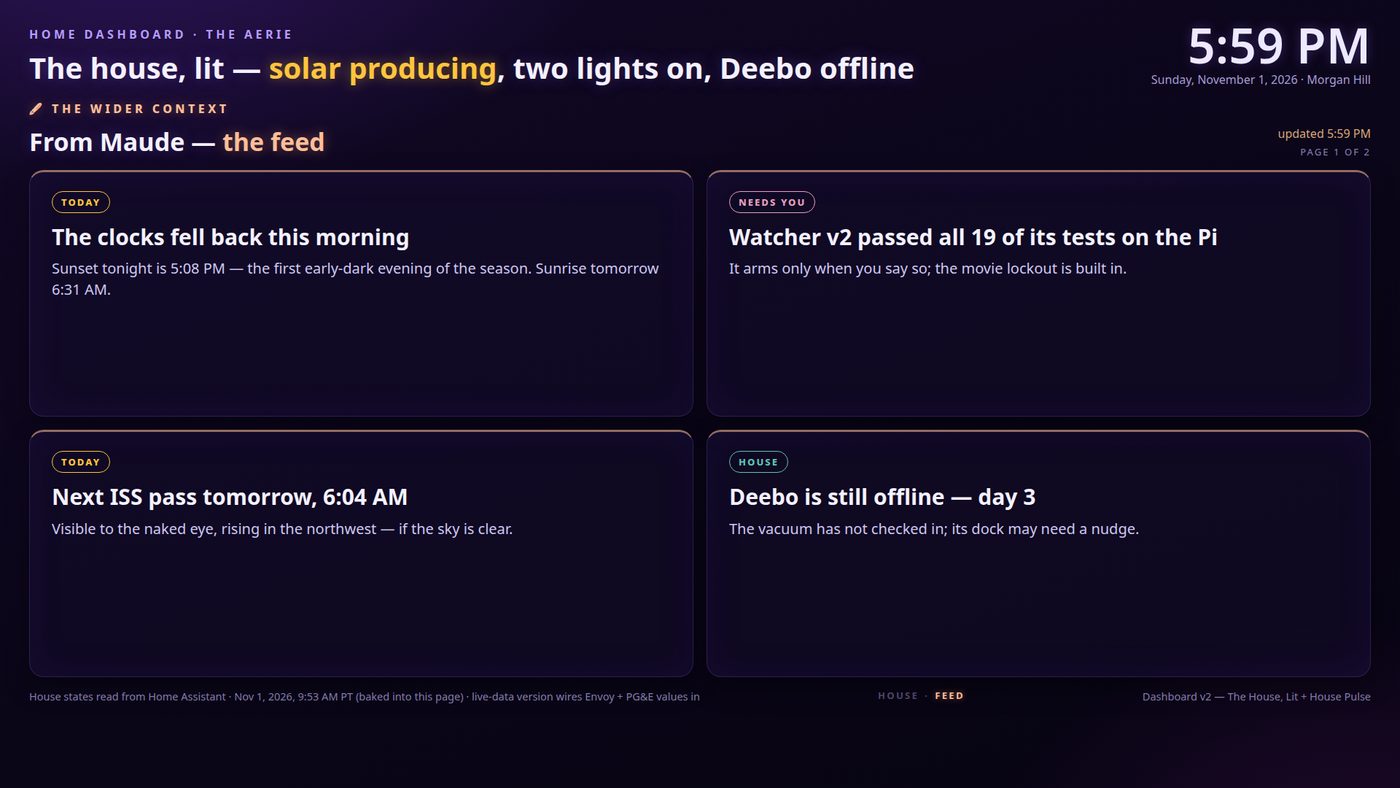
The TV dashboard. A glowing floorplan of the house with its live state — lights, solar, what's offline — and a “House Pulse” panel. All of it is Home Assistant state, baked into the page from a snapshot every two hours; the solar diamonds are my rooftop's Enphase inverters, reporting through Home Assistant, one diamond per panel. It now alternates, crossfading every 45 seconds or so, with a second page: a curated feed of my context — my projects, what needs me, the shape of the day — assembled from my calendar, my tracked work, and my sites' request counts. The house reports itself; then my agent's feed speaks. One screen, two voices.
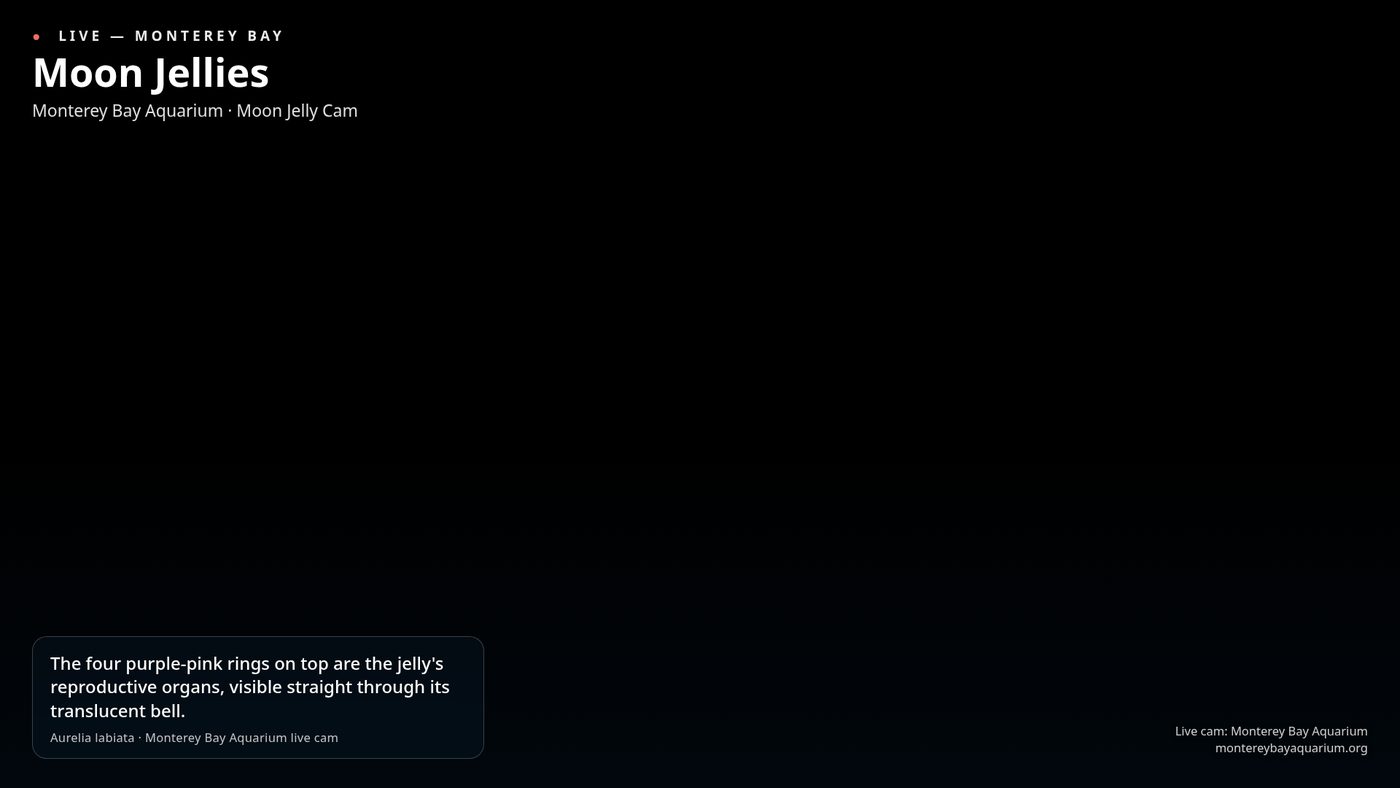
Jelly Cam. A full-screen page of moon jellies — and they are not a video file or a screensaver. The page embeds the Monterey Bay Aquarium's live Moon Jelly Cam, a real camera in a real tank about an hour from my house, streaming daily from 7 AM to 7 PM Pacific. The jellies fill the screen because the jellies are the point; a small rotating fact card — the four purple-pink rings visible through a moon jelly's bell are its reproductive organs — rides in a translucent card over the water instead of competing with it.
Tonight's Sky. The night's real ISS passes, computed on the Pi from CelesTrak orbital elements as described above — when to step outside, where to look, how high it'll get — with cloud cover from Open-Meteo and the station's current position from wheretheiss.at.
Flights Overhead. A radar scope the page draws itself from raw ADS-B data — the transponder broadcasts of the planes actually over the house right now, aggregated by the volunteer receiver network at adsb.lol and proxied through the Pi every 15 seconds. Not a screenshot of someone else's map: the scope, the rings, and the blips are drawn in the page from the message data.
Storm Mode. The weather page for when weather is the story: animated radar from RainViewer, alert posters driven by National Weather Service alerts for this exact point, a wind field from Open-Meteo's gridded data, and a satellite window showing NOAA's GOES-18 view of the Pacific coast.
Living Mycelium. An organism that grows from the day's house signals — its vigour comes from the same two live wires as everything else: the adsb.lol aircraft count overhead and the Open-Meteo weather. It's the most purely decorative page and possibly my favourite.
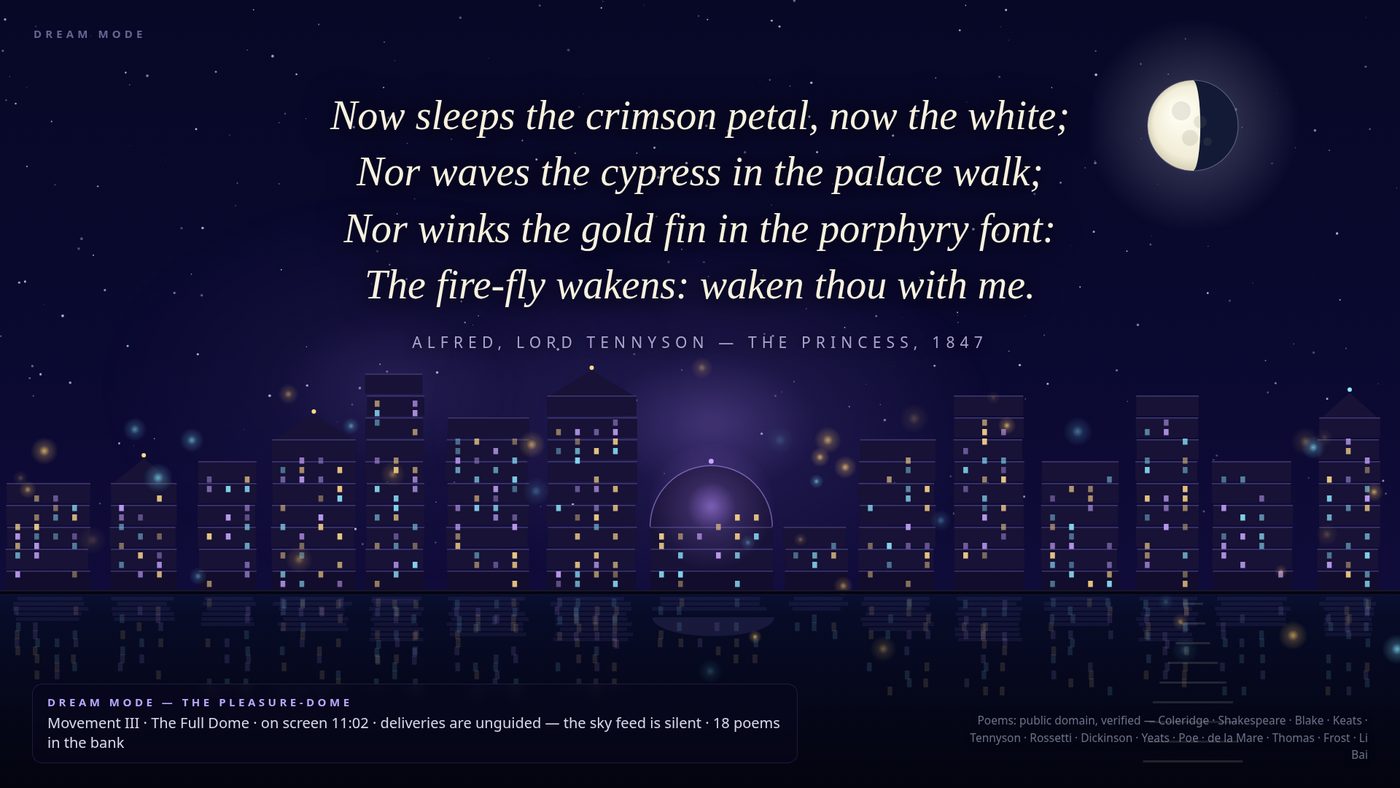
Dream Mode. Overnight, a city of light builds itself — keyed to how long it has been on screen, not to the clock. It's already rich in the first few seconds and complete by about eleven minutes, with public-domain poems surfacing as it deepens; the city's building deliveries are paced by the live aircraft count from adsb.lol, so the sky over the house quite literally builds the skyline. A screen you glance at for ten seconds shouldn't look empty; a screen up for an hour shouldn't look frantic.
The art galleries. Rotating art for when the TV is furniture.
And behind the TV, a pair of Govee light bars now follows whatever is cast, over the local network — no cloud account. Warm for the briefing, amber for the dashboard, violet for Dream Mode, dark for movies. Every recipe is capped at 30% brightness, because ambient means ambient.
The phone controller
All of this is run from one page on my phone. Twelve view buttons, a line for what each screen is currently showing, a movie mode toggle, and controls for the light bars. Big touch targets, because a remote you have to squint at is a failed remote.
It's the only interface the system really needs. Everything automatic is described in the next section; everything manual is this page. If I want jellies on the TV, I tap Jellies. If I want the house, I tap the house.
The automations that keep it running
The system is mostly automation, deliberately. I don't operate it daily; I set the schedule and the rules, and it runs:
- Editions: the Morning Paper is composed at 6:05 and cast at 7:00, morning and evening.
- House snapshots: the dashboard and floorplan get fresh house state baked in every two hours.
- The context feed behind the dashboard's second voice is rebuilt every 30 minutes — and it's split into household and private tiers when the data is generated, so the shared TV never receives the private items at all. Not hidden. Never sent.
- A keep-alive re-casts the bedroom display's chosen view every 8 minutes during waking hours, so the screen wakes up showing what I left on it. At night, quiet hours: the screens rest.
- Refresh-on-cast: if I cast a page whose baked-in data is stale, the cast still goes up immediately with what it has — and quietly files a refresh request. A few minutes later the fresh snapshot lands and the page reloads itself.
- A health check runs every morning at 9 and only speaks if something is wrong. Silence means the system is fine.
- The gallery watcher stays off. There's an automation that could put art on an idle TV on its own. It once decided “not playing” meant “idle” and put the gallery over a Halloween movie. The rebuilt version may only start when the TV positively proves it's idle — and it stays disabled until I arm it. Silence is not consent.
It's open source
The whole system is published on GitHub as MaudeAtHome, with a changelog and tagged releases — share-don't-sell, so anyone can rebuild it in their own house with their own pages.
The screens in my house now show what my household chose to put on them. That's the whole project, and it turned out to be mostly plumbing.
Sources
- adsb.lol — adsb.lol. The community ADS-B network: flight data for the radar page, and the live aircraft counts behind Mycelium and Dream Mode.
- CelesTrak — celestrak.org. The ISS orbital elements the Pi computes its pass predictions from.
- Google Calendar — calendar.google.com. The day's shape, for the Morning Paper and the context feed.
- Open-Meteo — open-meteo.com. Forecast API and gridded weather data: the Paper, Tonight's Sky, Storm Mode, Mycelium.
- Home Assistant — home-assistant.io. The house's device state, read once per snapshot.
- Encyclopaedia Britannica, “Alfred Wegener” — britannica.com. Tonight's sample Almanac item; every Almanac item carries a named source like this one.
- Enphase — enphase.com. The rooftop inverters, one diamond per panel on the dashboard.
- Monterey Bay Aquarium — the live Moon Jelly Cam, montereybayaquarium.org.
- wheretheiss.at — wheretheiss.at. The station's current position, for Tonight's Sky.
- RainViewer — rainviewer.com. Animated radar for Storm Mode.
- National Weather Service — weather.gov. The point alerts behind Storm Mode's posters.
- MaudeAtHome — github.com/Caitria/MaudeAtHome. This system, published: pages, Pi services, operations pack, changelog, releases.
FILED UNDER — HOUSE SCREENS · BLOG · NOVEMBER 2026